Ola. 😉
If you're from Brazil, here are 22 crypto cards that will accept your registration.
TLDR: No time to read everything? Skip down to the one best card we recommend for Brazil, based on all the analysis and criteria.
|
USD
Apple Pay
up to 5% cashback
|
||
|
USD
Apple Pay
up to 3% cashback
|
||
|
USD
Apple Pay
up to 4% cashback
|
||
|
USD
Apple Pay
up to 6% cashback
|
||
|
USD
Apple Pay
up to 5% cashback
|
||
|
USD
Apple Pay
|
||
|
USD
Apple Pay
1% cashback
|
||
|
USD
Apple Pay
|
||
|
USD
No Apple Pay
up to 1% cashback
|
||
|
USD
Apple Pay
up to 3% cashback
|
||
|
EUR
Apple Pay
up to 8% cashback
|
|
|
USD
Apple Pay
|
|
|
USD
Apple Pay
3% cashback
|
||
|
EUR
Apple Pay
up to 8% cashback
|
||
|
EUR
Apple Pay
|
||
|
USD
Apple Pay
up to 5% cashback
|
|
|
USD
Apple Pay
|
|

|
USD
No Apple Pay
2% cashback
|
|
|
USD
Apple Pay
|
|
|
USD
Apple Pay
|
|

|
USD
No Apple Pay
|
|

|
EUR
No Apple Pay
|
![Kinesis Card [EU]](https://cryptonoshi.com/wp-content/uploads/KinesisCard-540x348.png)
How Much Is the Foreign Exchange Fee to Use These Cards in Brazil?
Since these cards are denominated in USD or EUR, every time you spend in Brazil, your payment needs to be converted into Brazilian Real first. Your card will charge an FX fee when converting to BRL.
Here's how they compare when it comes to foreign exchange (FX) fees.
* Visa and Mastercard charge around ~1% on top of the card's FX fee.
Example: Plasma One charges 1% foreign exchange fee. On a 50.00 Reals purchase, you pay R$ 50,00 + R$ 0,50 foreign exchange fee + R$ 0,50 Visa foreign exchange fee = R$ 51,00.
When a payment terminal asks, choose the local currency, Reals. This lets your crypto card handle the exchange rate, so you can be sure of the exact percentage you will pay. If you choose USD, the local POS terminal bank does the conversion instead, often at a worse rate. In some countries, that markup can reach 8%.
Which Crypto Cards offer Physical cards for Brazil?
Here are all the crypto cards that offer a physical card in Brazil:
Here are all crypto cards that support Brazil but DO NOT offer a physical card:
How Much Cashback Do These Crypto Cards Pay?
Out of the 22 crypto cards available in Brazil, 13 offer cashback.
The highest advertised cashback % is usually not what you get on the free tier. You may need to pay a monthly fee or stake a large amount of tokens to unlock it.
Below you will see the entry-level cashback rate instead: what you can earn on the Free tier.
COCA
8%
capped at €300 a month
daily spend limit 30,000 EUR
 Plasma One
Unlimited
2% cashback
daily spend limit 1,000,000 USD
Plasma One
Unlimited
2% cashback
daily spend limit 1,000,000 USD
 Kolo
5%
capped at R$ 507 a month
daily spend limit 50,000 USD
Kolo
5%
free tier
R$ 125
monthly cap reached
capped at R$ 507 a month
same on every tier
Kolo
5%
capped at R$ 507 a month
daily spend limit 50,000 USD
Kolo
5%
free tier
R$ 125
monthly cap reached
capped at R$ 507 a month
same on every tier
When you use the Kolo Card, you can earn 1–5% Bitcoin cashback on your purchases. Simply spend with your Kolo card and the cashback will be credited to your BTC balance, usually within about five days after the transaction.
When you first sign up, you will receive 5% cashback on all your card transactions. The cashback percentage will change after your first month:
| Kolo Account Age | Cashback Rate | Max Cashback per Purchase | Max Cashback per Month |
| 1st Month | 5% | $5 | $100 |
| After First Month | 1% | $1 | $100 |
If you continue holding your cashback in BTC, the value of the rewards may increase over time if Bitcoin appreciates.
To create a new card, you’ll need to deposit 10 USDC. This isn’t a fee — the full amount is yours to spend, so the card is essentially free to open.
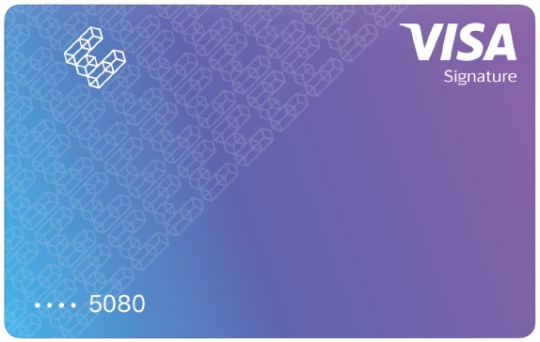 Ether.fi
3%
free tier
R$ 75,00
monthly cap reached
capped at R$ 304 a month
3% on first R$ 10.145, then 0.5%
same on every tier
Ether.fi
3%
free tier
R$ 75,00
monthly cap reached
capped at R$ 304 a month
3% on first R$ 10.145, then 0.5%
same on every tier
Ether.fi offers up to 3% cashback for USD transactions, and up to 2% for EUR card transactions. Your cashback rate decreases as your monthly spending increases, and the maximum cashback is capped, depending on your tier.
You can earn membership points by staking assets, holding funds in Liquid Vaults, and spending with the ether.fi Cash card. Earning more points each month qualifies you for higher membership tiers.
Cashback for Card Transactions in USD
| Monthly Spend | Core | Luxe | Pinnacle |
| first $2,000 | 3%
($60 cap) |
3%
($60 cap) |
3%
($60 cap) |
| next $1,000 | 1%
($70 cap) |
3%
($90 cap) |
3%
($90 cap) |
| $3,000+ | 0.5%
($1000 cap) |
0.5% - 3%
($1000 cap) |
0.5% - 3%
($1000 cap) |
If you spend $3,000 per month, you would earn $70-$90 in cashback - which gives you a good feel on how much monthly value you can get with this card.
The maximum cashback rewards you can earn is limited to $1,000 USD per month.
Reality CheckSome other crypto cards advertise higher cashback %, but you may end up earning less because their monthly cashback caps are much lower. When compared at the entry-level tier, Ether.fi Card's 3% cashback offers similar value comparing to competitors:
| Ether.fi Card | Industry Average1 | |
| Entry Level Cashback | 3% | 1% |
| Entry Level Cashback Monthly Cap | 60 USD | 55 USD |
Here are Ether.fi's membership levels, pricing and benefits for each plan. Pick the one that makes sense for your budget and the perks you actually care about.
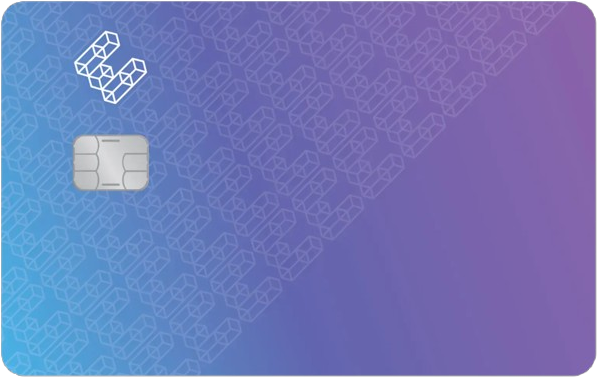 Core Tier |
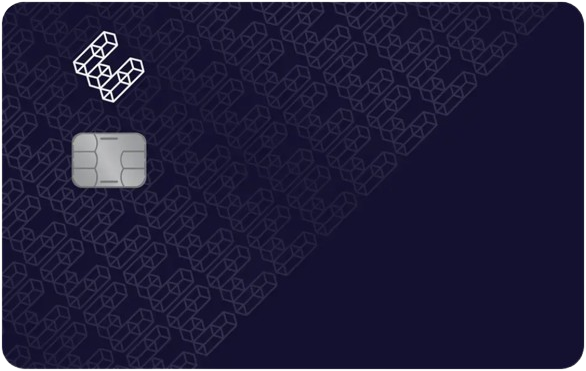 Luxe Tier |
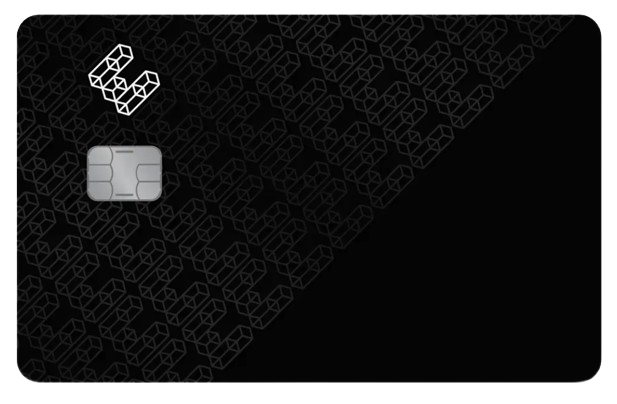 Pinnacle Tier |
 VIP Tier Invite-Only |
|
| Price | $0 | 10,000 Points (earned on ~$3,300 spend) or 15,000 $ETHFI staked (~ $10,119 to stake) |
50,000 Points (earned on ~$16,600 spend) or 100,000 $ETHFI staked (~ $67,458 to stake) |
Confidential |
| Cashback | 3% on $2,000, then 0.5%-1% ($1,000 cap) |
3% on $10,000, then 0.5%-1% ($1,000 cap) |
3% on $50,000, then 0.5%-1% ($1,000 cap) |
Confidential |
| Daily Spend Limit | Unlimited | Unlimited | Unlimited | Unlimited |
| Invite-Only Events | - | - | ||
| Personal Concierge | - | - |
You earn 3,000 points for every $1,000 you spend using your Ether.fi Cash card. You can also earn points by staking, depositing into Liquid, or holding ETHFI. Points reset every month, so your membership tier will fluctuate with time.
 Bitget Wallet
3%
free tier
R$ 60,87
monthly cap reached
capped at R$ 61 a month
same on every tier
Bitget Wallet
3%
free tier
R$ 60,87
monthly cap reached
capped at R$ 61 a month
same on every tier

Bitget Wallet Card vs Bitget Exchange Card
Note that there's a separate product, the Bitget Card (the exchange one, Visa, available for Asia Pacific Region only. It has very limited number of countries that are supported (supports Australia, Japan, South Korea, Taiwan, Vietnam and a few more), and is not covered in this review.
This review is about the Bitget Wallet Card.
Plasma One
2%
free tier
R$ 50,00
no monthly cap
2% on first R$ 2.536, then 0.1%
up to 4%
staking required
Plasma One offers 2%-4% cashback on all eligible purchases, depending on the tier.
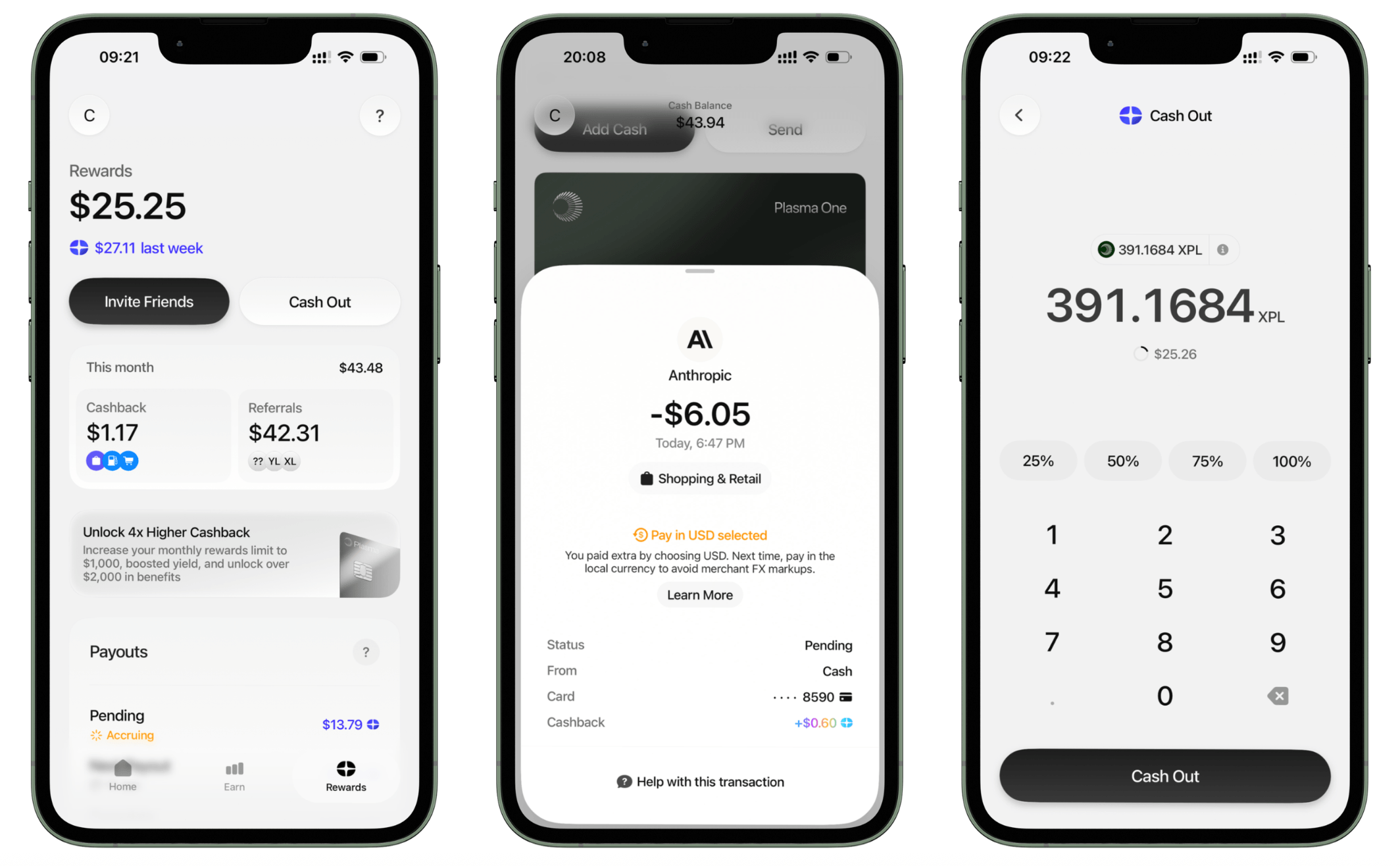
Your cashback is calculated in USD and paid out weekly in XPL tokens. After the payout, you can convert your XPL rewards to cash whenever you want.
Reality Check While Plasma One Card promotes up to 4% cashback, if you're an entry-level user, you'll qualify for 2% cashback.
Are other cards more generous at base tier? No, they are not. In fact, Plasma One Card has no cashback cap at all - that's significantly better than the industry average:
| Plasma One Card | Industry Average1 | |
| Entry Level Cashback | 2% | 1% |
| Entry Level Cashback Monthly Cap | Unlimited | 55 USD |
In addition, Plasma One offers nice perks, like boosted cashback for some purchase categories. For example, 10% cashback on AI-related spend.
Here are Plasma One's membership levels, pricing and benefits for each plan. Pick the one that makes sense for your budget and the perks you actually care about.
 Lite Tier |
 Core Tier |
 Platinum Tier |
|
| Price | $0 | $10/month ($120 yearly) or 20,000 $XPL staked (~ $1,515 to stake) |
100,000 $XPL staked (~ $7,577 to stake) |
| Cashback | 2% on $500, then 0.1% (no cap) |
3% on $1,000, then 0.25%-2% (no cap) |
4% on $1,000, then 1%-3% (no cap) |
| AI Cashback | - | 5% on $250, then 1%-4% (no cap) |
10% on $500, then 1%-5% (no cap) |
| Airlines Cashback | - | - | 10% ($50 cap) |
| FX Fee | 1% | 0.5% | 0% |
| Airport Lounge Access | - | ||
| Global eSIM | - |
Based
2%
free tier
R$ 50,00
monthly cap reached
capped at R$ 101 a month
same on every tier
Based Card offers 2-4% cashback, but the monthly cashback caps are pretty low:
| Tier | Cashback | Cashback Cap | Extra Bonuses |
| Orange
(coming soon) |
0% | - | - |
| Hype
10,000 $BASED Staked ~500 USD¹ |
2% | 20$ | $10/month on ChatGPT & Claude |
| Gold
100,000 $BASED Staked ~4,800 USD¹ |
4% | 100$ | $20/month on Netflix + $100/month on ChatGPT & Claude. Plus, 4 airport lounge visits per year. |
You receive cashback in $BASED tokens at the start of each month. Since the $BASED token has already launched (TGE was in March 2026), you can convert the cashback into USDC or USDT right away and then spend or withdraw it.
Reality CheckSome other crypto cards advertise higher cashback %, but you may end up earning less because their monthly cashback caps are much lower. When compared at the entry-level tier, Based Card's 2% cashback offers similar value comparing to competitors:
| Based Card | Industry Average1 | |
| Entry Level Cashback | 2% | 1% |
| Entry Level Cashback Monthly Cap | 20 USD | 55 USD |
Here are Based's membership levels, pricing and benefits for each plan. Pick the one that makes sense for your budget and the perks you actually care about.
 Orange Tier Coming Soon |
 Hype Tier LIVE |
 Gold Tier LIVE |
|
| Price | $0 | 10,000 $BASED staked (~ $472 to stake) |
100,000 $BASED staked (~ $4,715 to stake) |
| Cashback | 0% | 2% ($20 cap) |
4% ($100 cap) |
| FX Fee | 2.5% | 1.5% | 0% |
| Daily Spend Limit | $3,000 | $3,000 | $30,000 |
| Airport Lounge Access | - | - | |
| Invite-Only Events | - | - |
 KAST
1.5%
free tier
R$ 37,50
monthly cap reached
capped at R$ 152 a month
up to 5%
$850/month
KAST
1.5%
free tier
R$ 37,50
monthly cap reached
capped at R$ 152 a month
up to 5%
$850/month
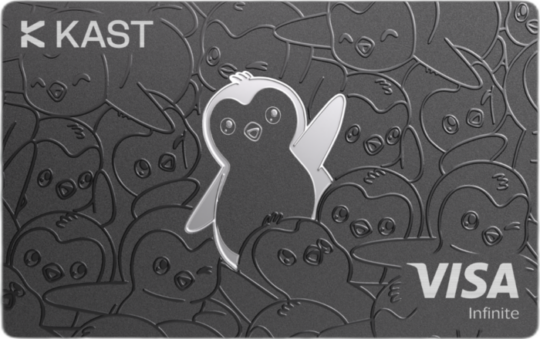
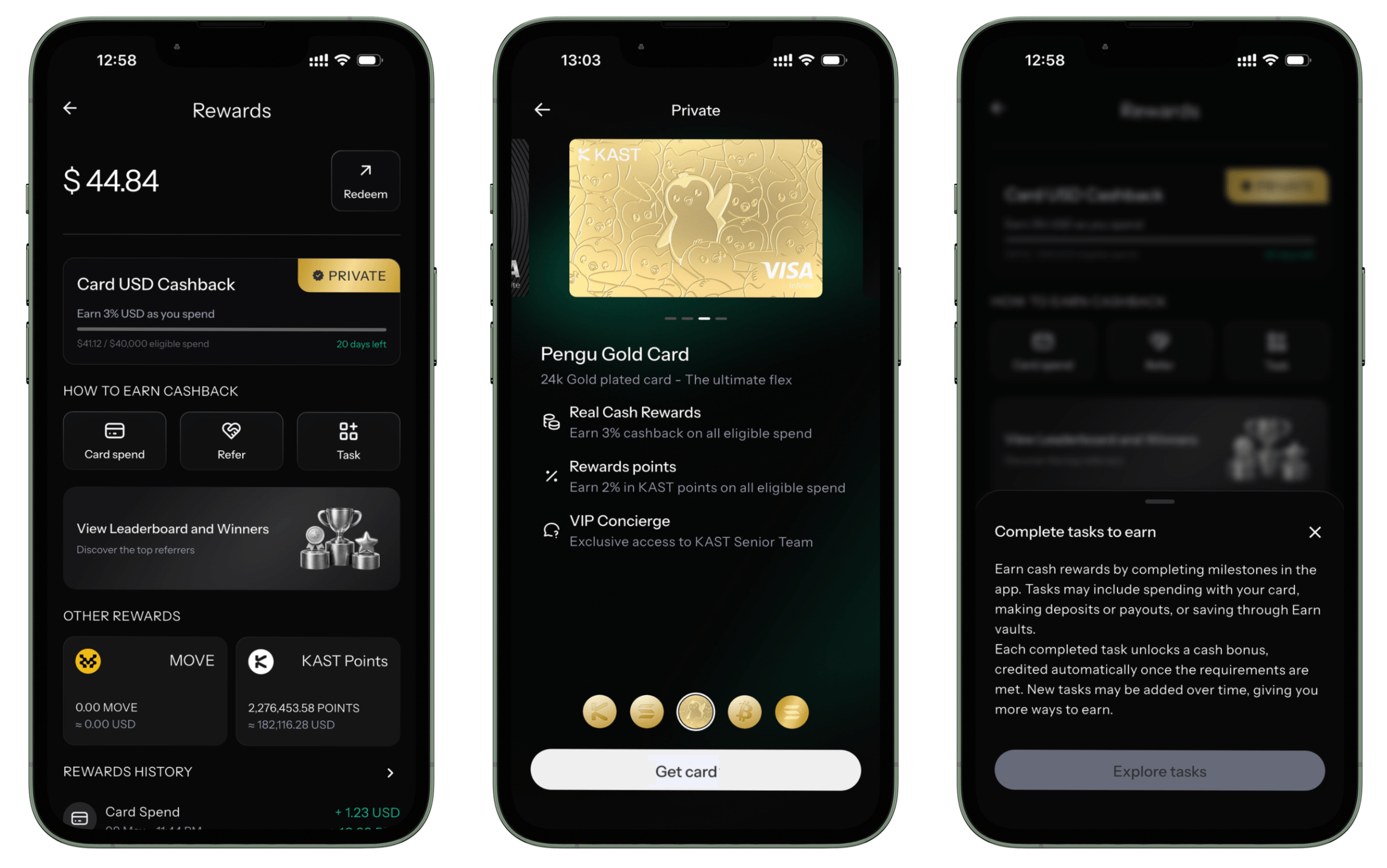
KAST Card has a generous rewards program, offering up to 3% cashback in USD, plus an additional up to 2% back in KAST Reward Points.
KAST is also rolling out Tasks, where you can earn extra cash bonuses for things like using your card, making deposits, or using Earn vaults.
Your cashback becomes redeemable after 14 days. Once you redeem it, it will automatically be applied toward your next card purchases.
KAST Reward Points
You can also earn points every time you use your card, with up to 2% of the transaction value, depending on your membership tier. Right now, 1 KAST Point =$0.08 USD.
KAST is planning to launch a token in Q4 of 2026.
Here are KAST's membership levels, pricing and benefits for each plan. Pick the one that makes sense for your budget and the perks you actually care about.
 Standard Tier |
 Premium Tier |
 Private Tier |
|
| Price | $0 | $85/month ($1,000 yearly) |
$850/month ($10,000 yearly) |
| Physical Card Shipping | $40 | Free | Free |
| Cashback in USD | 1.5% ($30 cap) |
2% ($200 cap) |
3% ($1,500 cap) |
| Rewards in KAST Points | 0% | 1% (no cap) |
2% (no cap) |
| Daily Spend Limit | Unlimited | Unlimited | Unlimited |
COCA
1%
free tier
R$ 25,00
monthly cap reached
capped at R$ 1.708 a month
up to 8%
COCA Card offers 1% - 8% cashback, with higher rewards available if you stake COCA tokens and unlock loyalty tiers. At the highest tier, cashback can go as high as 8%, which places it among the highest cashback rates in the crypto card space.
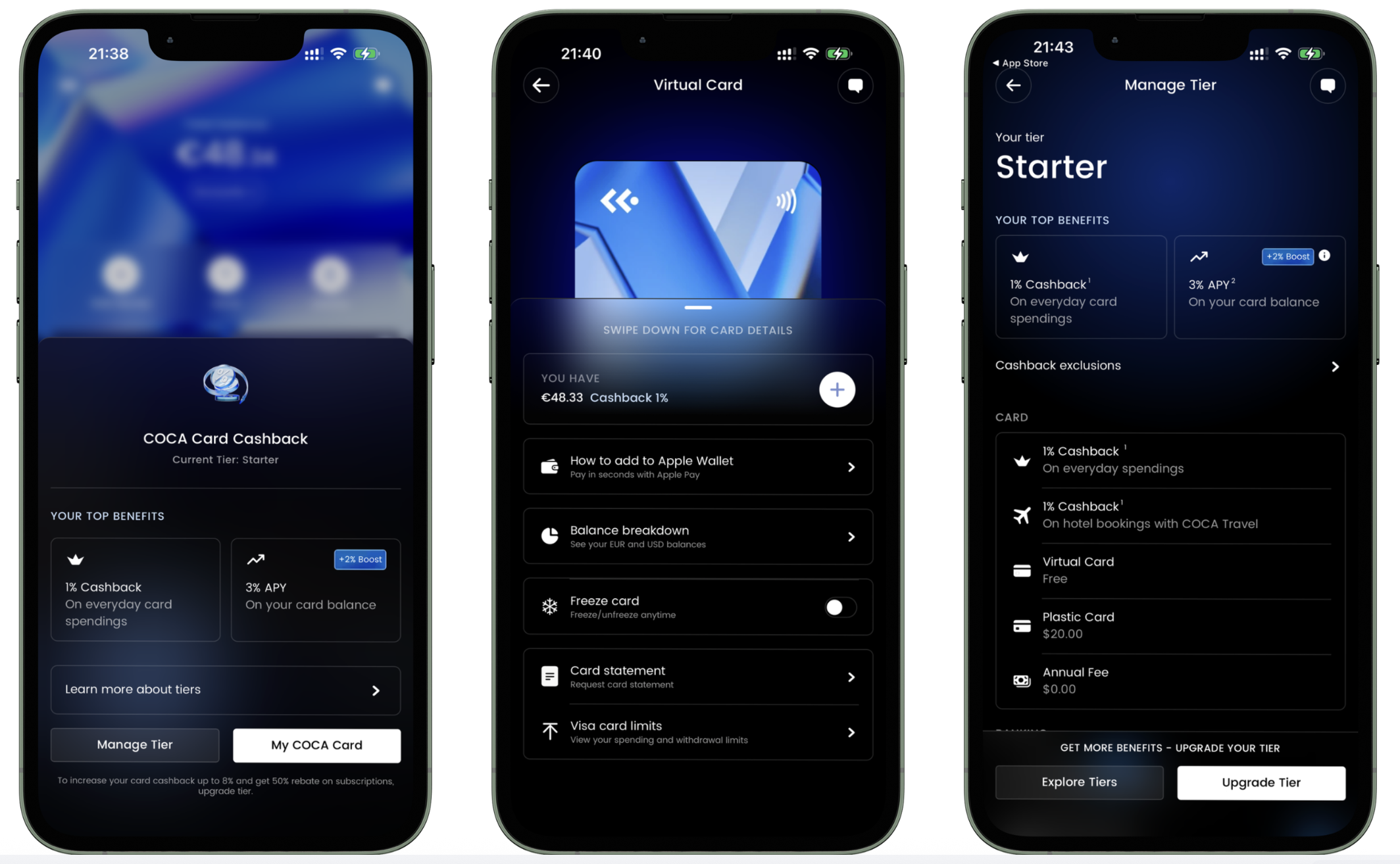
Your cashback is paid in stablecoins and is distributed by the 10th of each month.
COCA also offers 50% cashback on popular subscription services, including Netflix, Spotify, ChatGPT, or YouTube Premium - with higher tiers unlocking more options.
Plus, COCA gives you access to the COCA Travel platform, where you can book hotels with discounts of up to 50% on standard rates.
Reality Check While COCA Card promotes up to 8% cashback, if you're an entry-level user, you'll qualify for 1% cashback, capped at 300 EUR per month.
Are other cards more generous at base tier? No, they are not. In fact, COCA Card offers more value for the entry-level user, than most competitors:
| COCA Card | Industry Average1 | |
| Entry Level Cashback | 1% | 1% |
| Entry Level Cashback Monthly Cap | 300 EUR | 55 EUR |
Here are COCA's membership levels, pricing and benefits for each plan. Pick the one that makes sense for your budget and the perks you actually care about.
|
Starter Tier |
Standard Tier |
Standard+ Tier |
Premium Tier |
Premium+ Tier |
Elite Tier |
|
| Price | €0 | 300 $COCA staked (~ €265 to stake) |
1,000 $COCA staked (~ €882 to stake) |
3,000 $COCA staked (~ €2,645 to stake) |
10,000 $COCA staked (~ €8,817 to stake) |
30,000 $COCA staked (~ €26,451 to stake) |
| Cashback | 1% (€300 cap) |
3% on €1,000, then 1% (€320 cap) |
4% on €1,750, then 1% (€350 cap) |
5% on €2,500, then 1% (€400 cap) |
6% on €5,000, then 1% (€550 cap) |
8% on €10,000, then 1% (€1,000 cap) |
| 50% back on subs | - | 1 app Movies |
2 apps Movies AI |
2 apps Movies AI |
3 apps Movies AI Music |
4 apps Movies AI Music Shopping |
| Boosted Yield on Earn | - |
Lava
1%
free tier
R$ 25,00
no monthly cap
up to 5%
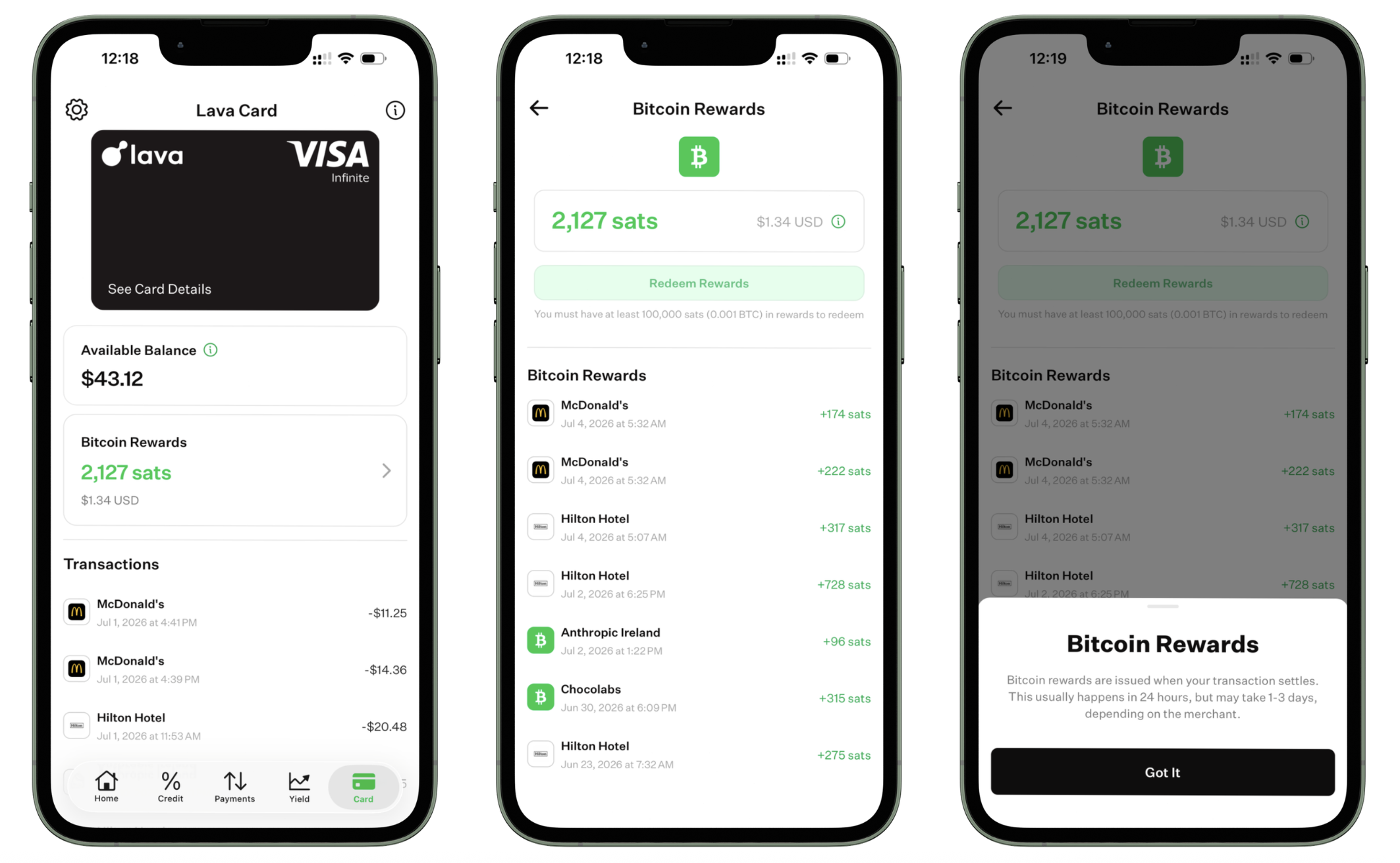
Lava Card offers up to 5% back in Bitcoin every time you spend, but realistically, most users will earn 1-3% cashback, depending on where they live. The full 5% BTC rewards apply when you spend with Lava merchant partners only.
| Eligibility | Cashback |
| User anywhere in the world, at selected Lava merchant partners | 5% |
| User in United States | 3% |
| User outside of United States | 1% |
Rewards are paid in Bitcoin (BTC) after your transaction settles, and you can track them inside the Lava app.
 Xapo
1%
free tier
R$ 25,00
monthly cap reached
capped at R$ 15.218 a month
same on every tier
Xapo
1%
free tier
R$ 25,00
monthly cap reached
capped at R$ 15.218 a month
same on every tier
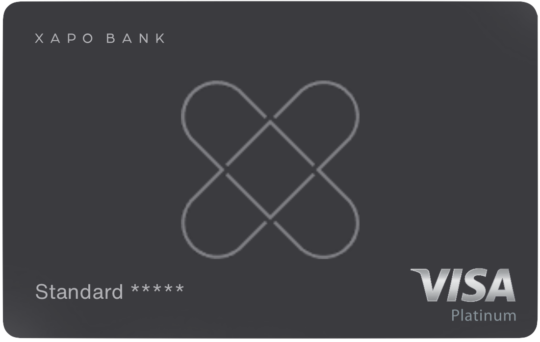
Xapo Card offers 0.2% - 1% cashback, paid in Bitcoin (BTC).
Your cashback is calculated based on the purchase amount in USD, then converted into Bitcoin and credited to your BTC balance. Rewards are paid automatically on the 5th of each month, once transactions have settled.
The cashback rate depends on where the merchant is located and which card you have:
| Merchant Location | Card Type | Cashback |
| EU Countries | Any Card | 0.2% |
| Outside Europe | Plastic of Virtual Card | 0.5% |
| Outside Europe | Metal Card | 1% |
There is no monthly cashback cap, which is rare among crypto cards. The only limit is the $300,000 monthly spend limit, meaning you could earn up to $3,000 cashback per month at 1%.
Reality CheckSome other crypto cards advertise higher cashback %, but you may end up earning less because their monthly cashback caps are much lower. When compared at the entry-level tier, Xapo Card's 1% cashback offers more value:
| Xapo Card | Industry Average1 | |
| Entry Level Cashback | 1% | 1% |
| Entry Level Cashback Monthly Cap | 3,000 USD | 55 USD |
In addition, your Xapo Card includes 1 free airport lounge visit per year. After that, each visit costs $35 per person (guests also $35).
 Pionex
1%
free tier
R$ 25,00
monthly cap reached
capped at R$ 2.536 a month
same on every tier
Pionex
1%
free tier
R$ 25,00
monthly cap reached
capped at R$ 2.536 a month
same on every tier
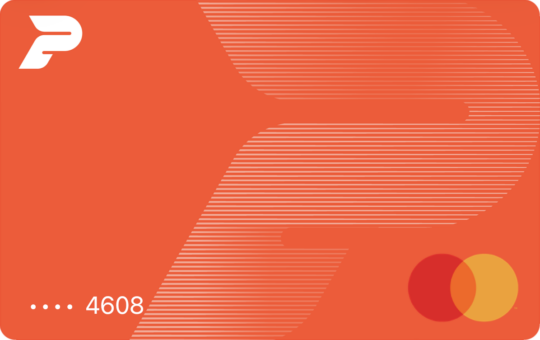
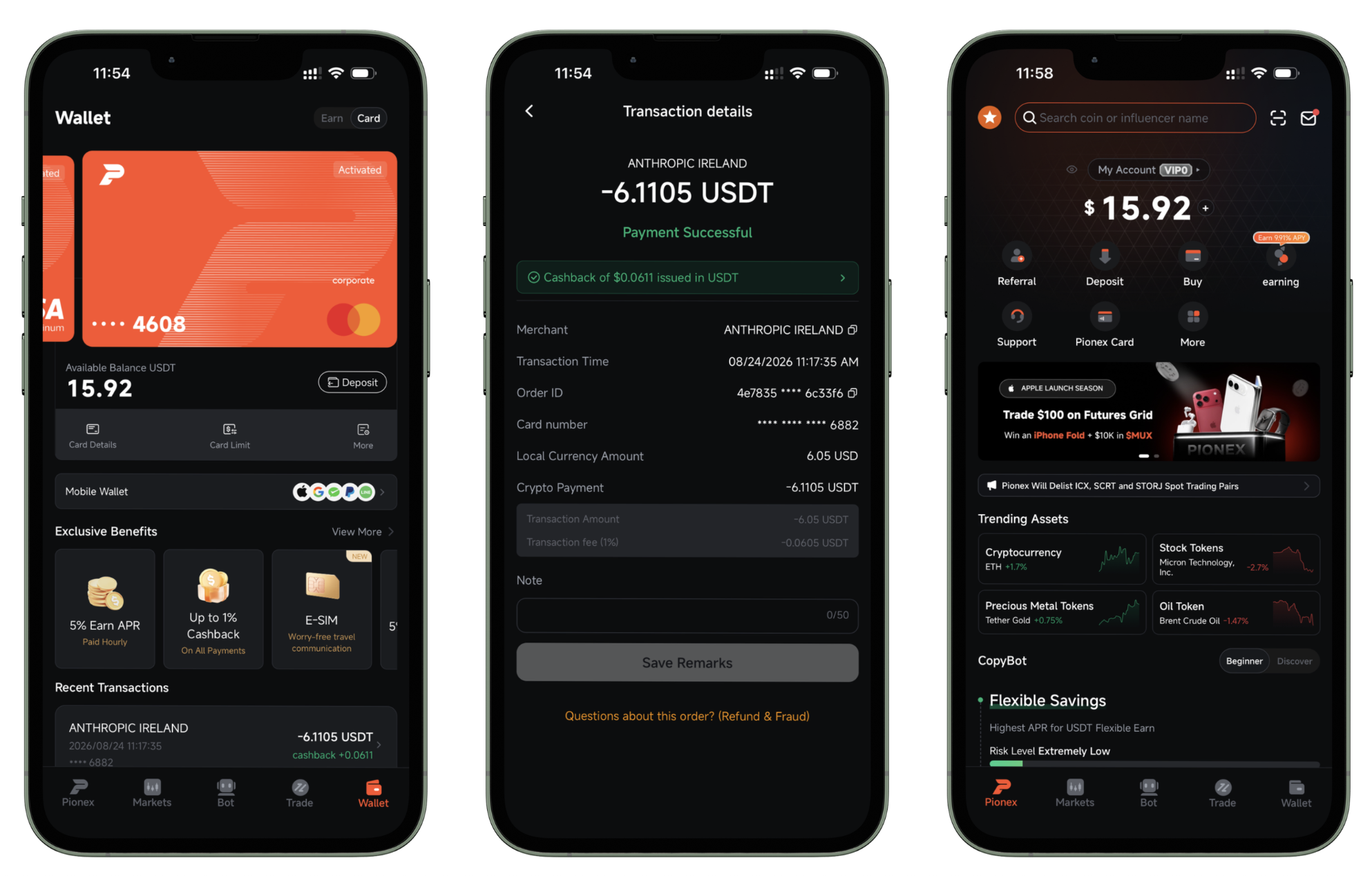
Pionex Card offers 1% cashback on eligible purchases.
The cashback basically offsets the 1% FX fee on non-USD purchases, making the FX cost 0%. Nice.
And, there is no cashback cap. Max monthly spend is $50,000, so you can earn up to $500 cashback per month.
Reality CheckSome other crypto cards advertise higher cashback %, but you may end up earning less because their monthly cashback caps are much lower. When compared at the entry-level tier, Pionex Card's 1% cashback offers more value:
| Pionex Card | Industry Average1 | |
| Entry Level Cashback | 1% | 1% |
| Entry Level Cashback Monthly Cap | 500 USD | 55 USD |
 Tria
1.5%
free tier
R$ 17,57
no monthly cap
1.5% on first R$ 507, then 0.5%
up to 6%
Tria
1.5%
free tier
R$ 17,57
no monthly cap
1.5% on first R$ 507, then 0.5%
up to 6%
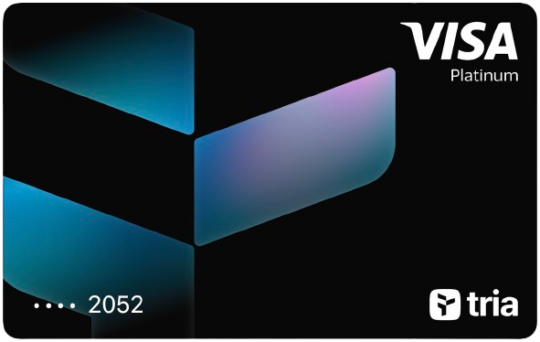
Tria Card offers 1.5% - 6% cashback. Rewards are not paid as immediate cash and are scheduled to be distributed after the Token Generation Event (TGE).
Reality Check While Tria Card promotes up to 6% cashback, if you're an entry-level user, you'll qualify for 1.5% cashback.
Are other cards more generous at base tier? No, they are not. In fact, Tria Card has no cashback cap at all - that's significantly better than the industry average:
| Tria Card | Industry Average1 | |
| Entry Level Cashback | 1.5% | 1% |
| Entry Level Cashback Monthly Cap | Unlimited | 55 USD |
You also earn XP points every time you use the card. The amount of XP depends on how much you spend in USD and your account multiplier, so higher tiers earn faster. You can earn XP from card spending, referrals, trading, Earn vaults, daily check-ins, onboarding actions, etc.
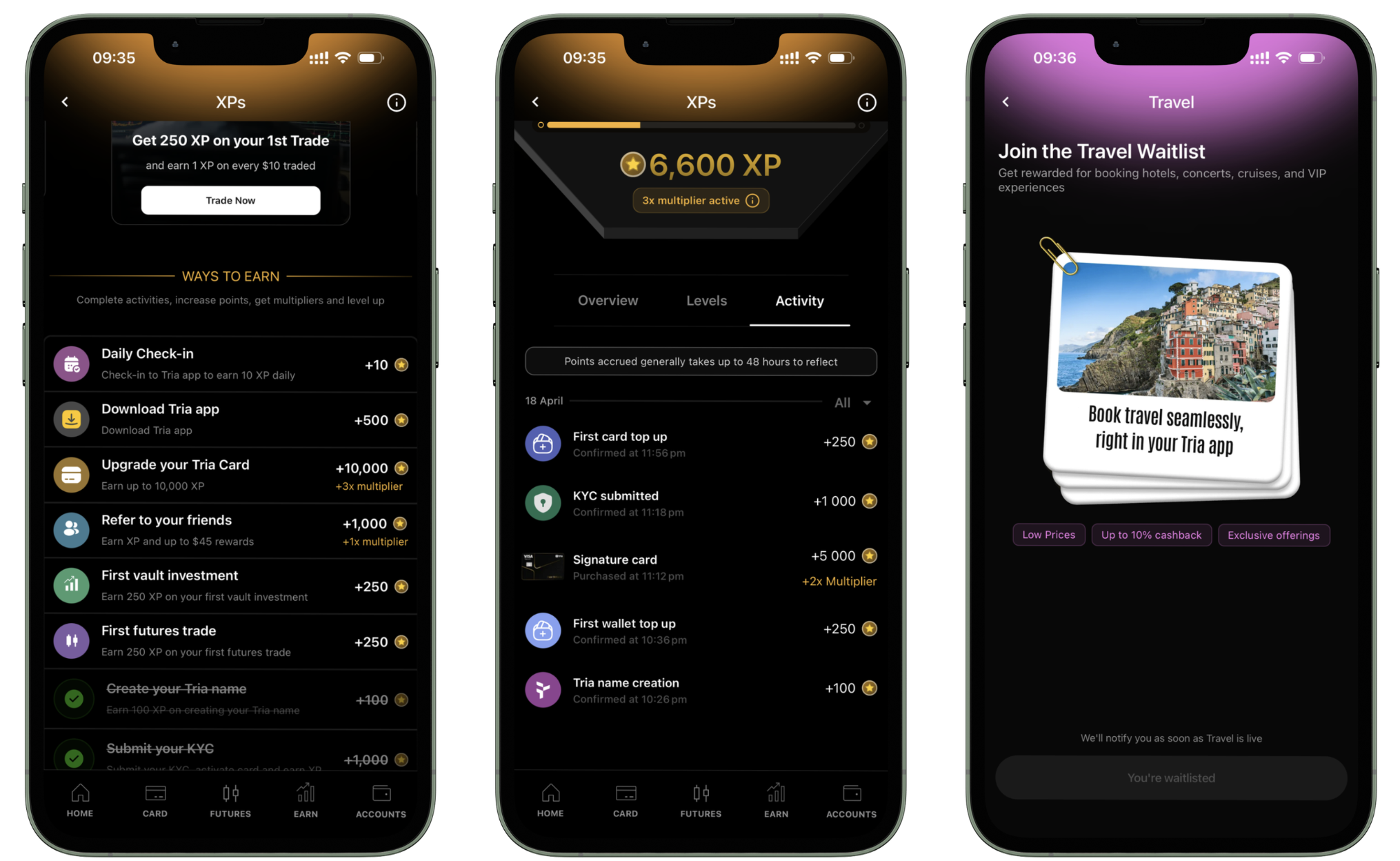
XP Points help you unlock higher levels, better multipliers, seasonal rewards, and other Tria perks.
With all the cashback, XP points, rewards, and perks, Tria makes it feel like you are playing a fun game. You will keep you coming back, for sure:)
Here are Tria's membership levels, pricing and benefits for each plan. Pick the one that makes sense for your budget and the perks you actually care about.
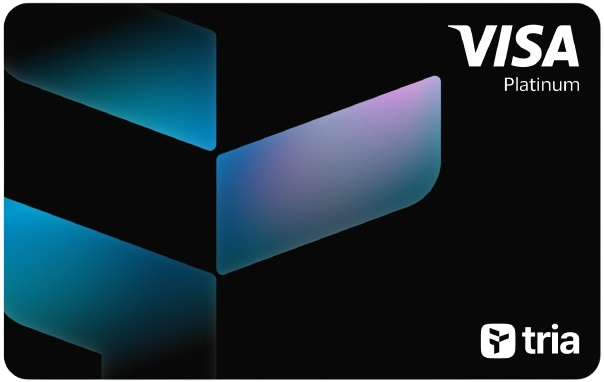 Virtual Tier |
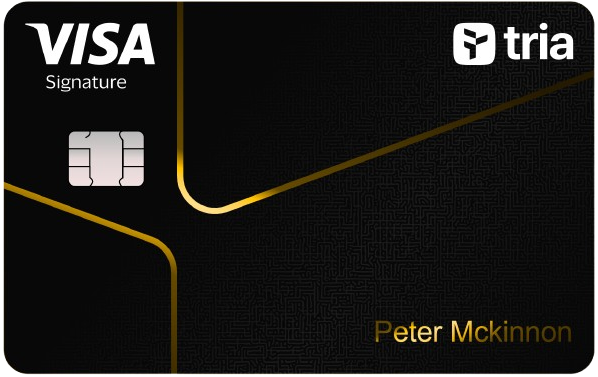 Signature Tier |
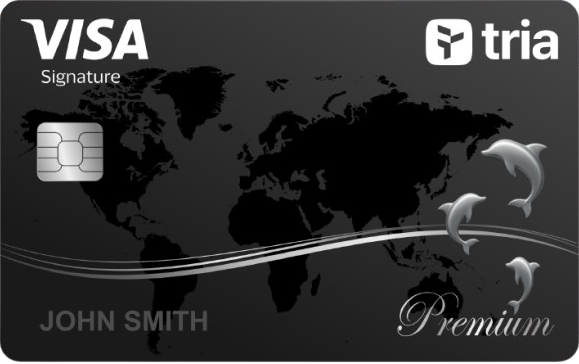 Premium Tier |
|
| Price | $2/month ($25 yearly) |
$9/month ($109 yearly) |
$21/month ($250 yearly) |
| Cashback in USD | 1.5% on $100, then 0.5% (no cap) |
4.5% on $1,000, then 1% (no cap) |
6% on $2,000, then 1% (no cap) |
| Rewards in Tria Points | 1 Point per $1 (no cap) |
1.5 Points per $1 (no cap) |
1.5 Points per $1 (no cap) |
| Boosted Yield on Earn | - |
Tria Points don’t have a fixed cash value, but they unlock Mystery Boxes with cashback, travel credits, USDT, perks, or equity draws.
 Wirex One
0.5%
free tier
R$ 12,50
monthly cap reached
capped at R$ 142 a month
up to 8%
$50,000 portfolio balance
Wirex One
0.5%
free tier
R$ 12,50
monthly cap reached
capped at R$ 142 a month
up to 8%
$50,000 portfolio balance
Wirex One Card offers 0.5%–8% cashback on eligible purchases, depending on your membership tier:
| Tier | Cashback | Monthly Cashback Cap |
| Base | 0.5% | $25 |
| Premium | 1% | $100 |
| Elite | 3% | $300 |
| Private | 5% | $1000 |
| Bespoke | 8% | $2000 |
Reality Check While Wirex One Card promotes up to 8% cashback, if you're an entry-level user, you'll qualify for 0.5% cashback, capped at 25 EUR per month.
Are other cards more generous at base tier? Yes.
| Wirex One Card | Industry Average1 | |
| Entry Level Cashback | 0.5% | 1% |
| Entry Level Cashback Monthly Cap | 25 EUR | 55 EUR |
Here are Wirex's membership levels, pricing and benefits for each plan. Pick the one that makes sense for your budget and the perks you actually care about.
 Base Tier |
 Premium Tier |
 Elite Tier |
 Private Tier |
 Bespoke Tier |
|
| Price | €0 | $500 portfolio balance and 1% of portfolio staked in $WPAY |
$2,500 portfolio balance and 3% of portfolio staked in $WPAY |
$25,000 portfolio balance and 5% of portfolio staked in $WPAY |
$50,000 portfolio balance and 10% of portfolio staked in $WPAY |
| Cashback | 0.5% (€25 cap) |
1% (€100 cap) |
3% (€300 cap) |
5% (€1,000 cap) |
8% (€2,000 cap) |
| Free ATM Withdrawals | $100/mo | $250/mo | $750/mo | $2,500/mo | All free |
| Discounted Lounge Access | - | - | - |
 RedotPay
0%
free tier
R$ 0
cap not published
up to 3%
$12.9/month
RedotPay
0%
free tier
R$ 0
cap not published
up to 3%
$12.9/month
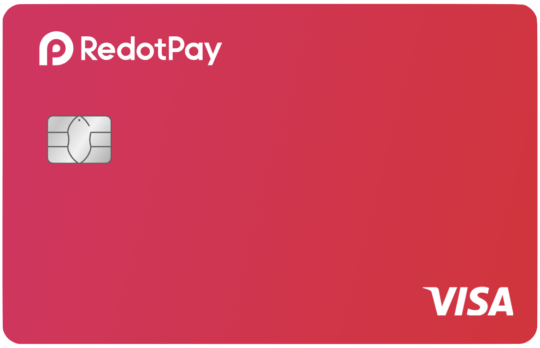
Redotpay offers 3% cashback, reserved for their Pro tier ($12.90 / month). Note that it's capped at $18 max cashback per month.
p.s. RedotPay is always running fun promos!
Here’s what some of them look like:
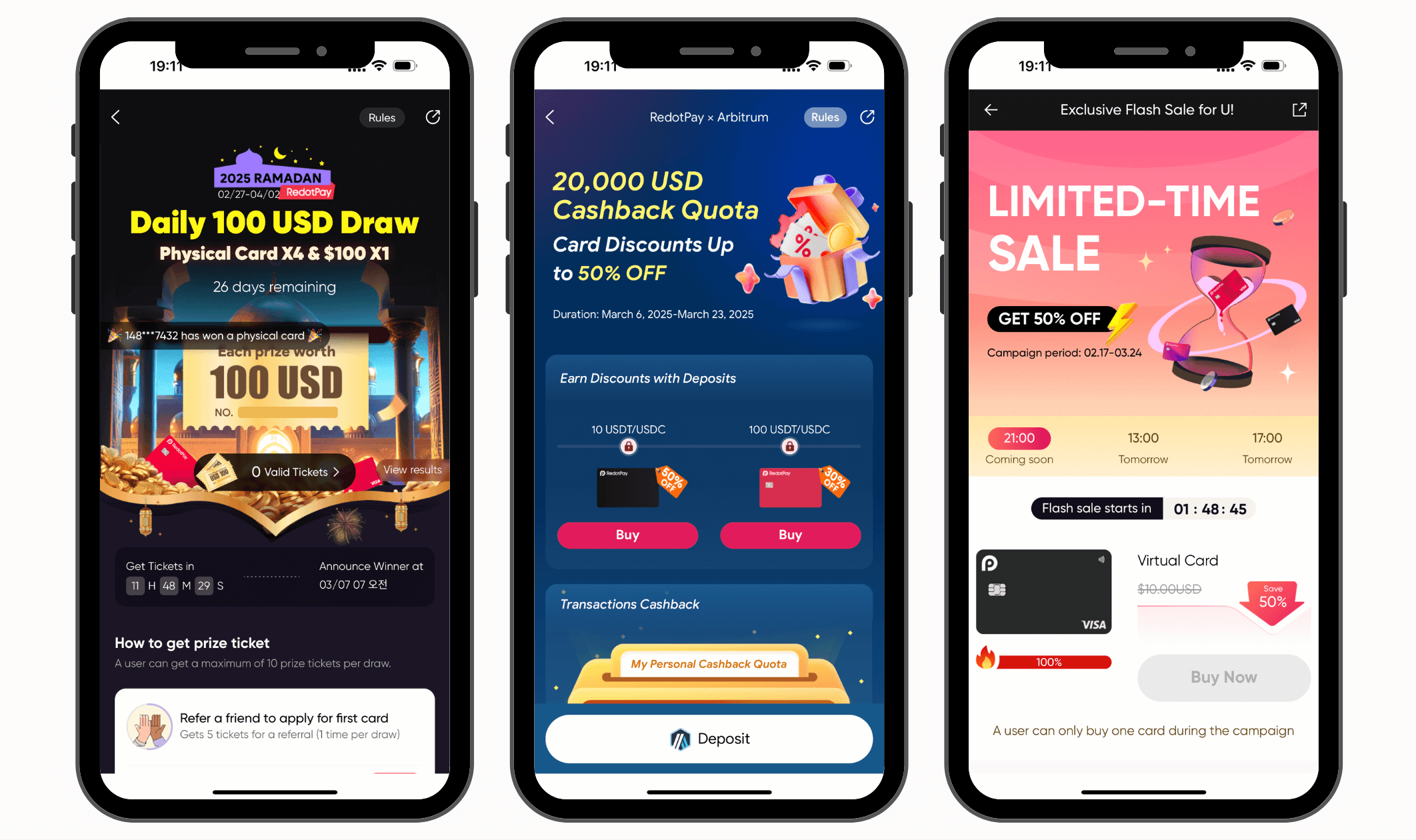
Their promos are creative and always fun to join. You can get discounted cards or bonus USD rewards. These rewards are issued in a special USD denomination within their app, expire in 30 days, and can only be spent using their card—they cannot be withdrawn to your external wallet.
Here are RedotPay's membership levels, pricing and benefits for each plan. Pick the one that makes sense for your budget and the perks you actually care about.
 Standard Tier |
 Pro Tier |
|
| Price | $0 | $12.90/month |
| Virtual Card Cost | $10 | Free |
| Cashback | 0% | 3% ($18 cap) |
| FX Fee | 1.2% | 1.2% |
Cashback is paid on the amount you spend, and most cards limit how much you can earn. Some publish a monthly cap, and the figure above stops there. Others advertise a rate that only applies to the first slice of your monthly spend, then drop to a much lower ongoing rate - that drop is applied above too. Either way, a headline rate on its own tells you very little.
Here are all crypto cards that support Brazil but DO NOT offer cashback:
Is There an Ideal Crypto Card for Brazil?
To help you pick the best card, here goes. You should look at cards that have no monthly fee and no foreign exchange fee, let you spend without limits, pay you cashback, come with a physical card, and work with Apple Pay.
3 of the 22 crypto cards you can get in Brazil tick all 6 boxes:
| No Monthly Fee | 0% Foreign Exchange Fee | Unlimited Spend | Offers Cashback | Has Physical Card | Has Apple Pay | ||
|---|---|---|---|---|---|---|---|
|
Ether.fi
|
No Monthly Fee: yes | 0% Foreign Exchange Fee: yes | Unlimited Spend: yes | Offers Cashback: yes | Has Physical Card: yes | Has Apple Pay: yes | Go to Site Our Review8.7 |
|
COCA
|
No Monthly Fee: yes | 0% Foreign Exchange Fee: yes | Unlimited Spend: yes | Offers Cashback: yes | Has Physical Card: yes | Has Apple Pay: yes | Go to Site Our Review7.5 |
|
Wirex One
|
No Monthly Fee: yes | 0% Foreign Exchange Fee: yes | Unlimited Spend: yes | Offers Cashback: yes | Has Physical Card: yes | Has Apple Pay: yes | Go to Site Our Review6.7 |
|
Tria
|
No Monthly Fee: no2 USD | 0% Foreign Exchange Fee: yes | Unlimited Spend: yes | Offers Cashback: yes | Has Physical Card: yes | Has Apple Pay: yes | Go to Site Our Review8.3 |
 Avici Avici
|
No Monthly Fee: yes | 0% Foreign Exchange Fee: yes | Unlimited Spend: yes | Offers Cashback: no | Has Physical Card: yes | Has Apple Pay: yes | Go to Site Our Review7.8 |
Ether.fi, COCA and Wirex One tick every box.
Best for Brazil: If you're from Brazil, the best card for you to use, based on the above, is Ether.fi Card.



FOR BRAZILIAN READERS
Know a Card Available in Brazil That We Missed?
If there's a card that's not on this list, let us know and we'll add it.
Email Us the Card NameIt only takes 30 seconds